Google Docs With AI - The 2026 Master Class
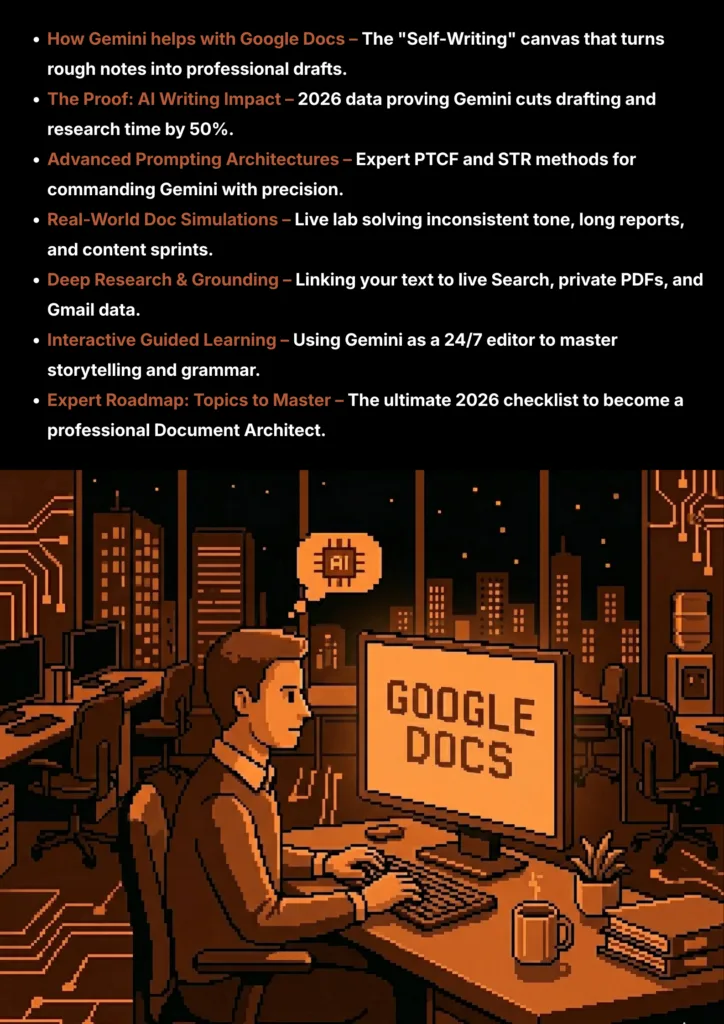
Learn how Gemini transforms Google Docs
We’ve all been there: sitting in front of a flashing cursor, trying to find the right words for a proposal, a report, or a high-stakes email. In the past, writing was a manual, time-consuming “grunt task.” Today, Google Docs with AI has changed the rules of the game. By leveraging Gemini for Docs, you can now generate high-quality first drafts, summarize 50-page reports in seconds, and ensure your professional tone is flawless every single time.
In this 2026 In-Depth Master Class, we move beyond basic “AI chat.” We are going to teach you how to become a Document Architect. You will learn the exact STR and PTCF prompting architectures used by world-class communicators to automate their workflows and reclaim hours of their lives every week.
If you’re ready to stop typing and start commanding your content, let’s begin.
Note :
- “The techniques and prompt engineering principles you learn in this guide are universally applicable to any large language model (LLM), including ChatGPT and Perplexity AI. We use Google Gemini for all examples because its latest multimodal features and integration with Google Search provide a best-in-class learning experience.”
- “Remember: The quality of the AI’s answer depends entirely on the clarity of your prompt. Always be specific, detailed, and clear with the AI to avoid irrelevant or incorrect (hallucinated) responses.”
How Gemini Helps With Google Docs
| Feature | The Manual Way | The Gemini Advantage | How this helps |
|---|---|---|---|
|
|
Staring at a blank screen and typing every word from scratch. |
Help Me Write
|
Instant Momentum
Provides a high-quality 80% draft that you only need to refine. |
|
|
Manually re-writing an email or report to sound more professional or urgent. |
Tone Refinement
|
Social Intelligence
Ensures your writing always matches the expectations of your audience. |
|
|
Reading a 50-page document and taking manual notes to find the key points. |
Executive Summary
|
Time Compression
Lets you grasp the "Big Picture" of complex files in seconds. |
|
|
Switching tabs to Google Search to find stats or verify dates. |
Integrated Grounding
|
Flow Protection
Keeps you in "writing mode" by bringing the information to you. |
|
|
Relying on basic spellcheckers that miss nuanced logical or structural errors. |
AI Proofreading
|
Expert Polish
Like having a Senior Editor review your work for clarity and impact. |
|
|
Manually creating tables, headers, and bulleted lists for every new memo. |
Smart Tooltips
|
Professionalism
Guarantees your documents look consistent and "Boardroom Ready." |
Why this matters for Professionals
If you write for a living—whether it's emails, sales pitches, or technical manuals—Gemini changes your role from a Writer to an Editor-in-Chief:
- Overcoming Writer's Block: You never start at zero. You start with a blueprint provided by the AI.
- Consistency at Scale: If you need to write 10 different versions of a product description, Gemini ensures the quality remains high across all of them.
- Language Barrier Removal: Gemini can instantly translate your notes into professional business English while maintaining the original meaning.
Verified Truths for 2026
- Originality: Gemini doesn't just copy-paste from the web; it generates original text based on the specific constraints you provide.
- Confidentiality: Your private documents in Google Docs are not used to train Google's public AI models.
- Human Oversight: While Gemini is an expert drafter, always perform a final "Human Review" to ensure the nuances of your voice are present.
How AI Boosts Your Productivity : Data From Recent Studies
Here are the five most critical data points from recent global studies that prove the impact of Gemini and AI on Google Docs work:
| Research Metric | Evidence & Analysis | How this helps |
|---|---|---|
| 50% Drafting Time Reduction Professional Efficiency Audit |
The Drafting Revolution
|
What This Means
You move from "blank page" to "final polish" in half the time. This reclaimed bandwidth can be used for deep strategic thinking.
Efficiency Edge: Provides instant momentum for every new document you start.
|
| 56% Faster Task Completion Harvard & MIT Research (2025) |
The "Finish Line" Factor
|
What This Means
Time compression allows you to handle complex reports with the speed of simple emails, effectively doubling your output.
Time Compression: Beat deadlines without sacrificing the depth of your research.
|
| 37% Quality Improvement Blind Expert Review Studies |
The Content Edge
|
What This Means
Your writing sounds like it was reviewed by a Senior Editor, even if you wrote it in minutes. Clarity translates to faster decision-making.
Expert Polish: Guarantees a boardroom-ready tone for every piece of communication.
|
| 12hrs Weekly Time Reclaim Professional User Metrics |
The Research Shortcut
|
What This Means
Focus protection keeps you in a "flow state" by delivering industry stats and data points without breaking your concentration.
Focus Protection: Reclaim over a full working day every single week.
|
| 91% Language Accuracy Gemini Tech Benchmark (2026) |
The Global Milestone
|
What This Means
Communicate with international clients in their native professional style with zero friction, expanding your global reach instantly.
Global Reach: Break international borders without needing a dedicated translation team.
|
Advanced Prompting Techniques by Google for 2026, with Examples Prompts For Google Docs
Google Gemini is a Reasoning Engine. To turn raw ideas into polished, high-impact documents, use these six core strategies.
- The Technique: Defining the Persona, Task, Context, and Format.
- The Logic: Gemini adapts its vocabulary and structural logic based on the "identity" you assign. An "Executive Assistant" persona will focus on brevity and scheduling, while a "Legal Consultant" will prioritize precision and compliance.
Persona: Act as an [Expert Role: e.g., Senior Editor, Technical Writer, Marketing Director]. Task: [Your Goal: e.g., Draft a press release, Rewrite this email to be more persuasive]. Context: Apply this specific background: [Audience Context: e.g., This is for a high-net-worth investor] [Voice Context: e.g., Use a bold, innovative tone but avoid slang] Format: Provide the output as [Structure: e.g., A 300-word blog post, A bulleted memo].
- The Technique: Forcing the AI to show its drafting logic in a step-by-step sequence.
- The Logic: Long-form writing often fails when the structure is weak. This method forces Gemini to "Self-Correct" by planning the outline and the "Key Message" of each section before writing.
Draft this [Document Type] using Chain-of-Thought. Step 1: List the 3 most important points this document must communicate. Step 2: Create a logical outline (Intro, Body, Conclusion) that supports those points. Step 3: Write the full content based on the outline in Step 2. Topic: [Insert your goal here, e.g., A project update for the Q3 Board Meeting].
- The Technique: Limiting the AI to specific, official data sources for its content.
- The Logic: Grounding forces the AI to ignore its general knowledge and focus exclusively on the verified facts you provide, ensuring business proposals aren't based on outdated training data.
Research the current [Topic: e.g., 2026 real estate trends in India, New tax laws]. Constraint: Only use info from [Official Domain: e.g., pib.gov.in] or [Your Uploaded File]. Recency Rule: Only use data published in the last [Timeframe: e.g., 6 months]. Output: Provide a 3-paragraph executive summary with source links.
- The Technique: Setting strict "Rules of Play" and negative constraints to eliminate AI "filler."
- The Logic: Professional writing needs to be punchy. By forbidding common AI phrases, you get high-yield content ready for publication without manual "de-fluffing."
Rewrite the following text: [PASTE_YOUR_TEXT]. Constraint 1: Keep the total word count under [Limit: e.g., 100 words]. Constraint 2: Use only "Active Voice." Constraint 3 (Negative): Do not use introductory fluff like "I hope this finds you well" or "In conclusion." Format: Output as a single, powerful paragraph.
- The Technique: Creating a feedback loop where the AI explains why it made certain edits.
- The Logic: Instead of just getting a better version of your text, Gemini explains the stylistic rules it used, helping you grow as a writer.
Review my writing for [Goal: e.g., Clarity and Persuasion]. Instruction: Provide a summary of the 3 biggest improvements you would make. Feedback Loop: Ask me if I want a "Mild Edit" or a "Complete Rewrite." Active Recall: Once we are done, explain the specific writing rule you used for the most important change. Text: [PASTE_YOUR_TEXT_HERE]
- The Technique: Providing a structural blueprint (DNA) before injecting any raw notes.
- The Logic: This turns messy "brain dumps" into professional documents by following a rigid layout, ensuring the final Doc matches your professional branding.
Create a [Document Blueprint: e.g., Standard Operating Procedure (SOP)]. Layout Blueprint: 1. Header: [Project Name] 2. Section A: Objective (Max 2 sentences) 3. Section B: Numbered Steps (Action-oriented) 4. Section C: Safety/Warning Box Style: Military Briefing; Minimalist. Use this information: [PASTE_YOUR_MESSY_NOTES_HERE].
Real-World Google Docs Challenges Solved Using Gemini
Prompt Lab
Section 4: Data Architecture Simulations: Solving Professional Spreadsheet Problems
In this simulation lab, we take common, high-friction spreadsheet tasks and solve them using three distinct AI strategies. Each strategy provides a different type of solution—from a single "Magic Formula" to a full structural blueprint.
The Problem:
You have a 10-page document written by four different people. One section is too formal, another is casual, and the third is full of technical jargon. It lacks a single "voice."The Goal: A unified, professional tone across the entire document.
Persona: Act as a Senior Executive Editor.Task: Harmonize the tone of the attached text.Context: This is a final year-end report for stakeholders. The tone should be authoritative, optimistic, and free of internal jargon.Format: Provide a rewritten version of the text that maintains a single, consistent professional voice.
"Analyze the inconsistent tone in this document using Chain-of-Thought.Step 1: Identify the three distinct 'voices' currently present in the text.Step 2: Define a 'Master Style Guide' that combines the best elements of each.Step 3: Rewrite the text following this new guide.Text: [PASTE_TEXT_HERE]"
"Make a Unified Narrative Blueprint for these raw notes.Layout Blueprint: 1. Executive Summary (Professional), 2. Key Achievements (Data-driven), 3. Future Outlook (Inspiring).Style: Minimalist and bold.Strict Rule: Eliminate all passive voice and repetitive adjectives. Use this data: [PASTE_NOTES]"
The Problem:
You’ve been sent a 50-page industry transcript or whitepaper. You have a meeting in 10 minutes and need to know the risks, opportunities, and "must-know" numbers.The Goal: Extract high-density insights without reading every page.
Persona: Act as a Strategic Business Analyst.Task: Perform a 'Deep Extraction' of this 50-page report.Context: I am looking specifically for financial risks and competitor names mentioned.Format: Provide a 3-column table: [Category, Key Finding, Page/Section Reference].
"Summarize this long-form report using Chain-of-Thought.Step 1: List every unique statistic or dollar amount mentioned.Step 2: Filter these into 'Positive Trends' and 'Warning Signs.'Step 3: Draft a 200-word brief for an executive who has zero time to read the full report.Source: [PASTE_LINK_OR_TEXT]"
"Create an Executive Cheat-Sheet Blueprint.Layout Blueprint: A single-page view with: 1. The 'Big Idea' (1 sentence), 2. Top 5 Stats (Bulleted), 3. Next Steps (Actionable).Style: High-contrast and professional.Strict Rule: Use only the data from the provided source; no general AI knowledge allowed."
The Problem:
You need to launch a project today. You need a project announcement, a FAQ list, and a LinkedIn post, but you only have a few messy bullet points.The Goal: Instant creation of multiple high-quality assets from one source.
Persona: Act as a Multi-Channel Communications Expert.Task: Create a 'Launch Kit' based on these bullets: [PASTE_BULLETS].Context: This is for a new AI-driven service launch.Format: Generate: 1. Internal Memo (Formal), 2. Customer Email (Friendly), 3. Social Media Post (Catchy).
"Develop a multi-format campaign using Chain-of-Thought.Step 1: Define the 'Core Value Proposition' of these notes.Step 2: Adapt that value for a professional audience (LinkedIn) and a technical audience (Documentation).Step 3: Write both pieces of content ensuring they share the same DNA but different styles."
"Make a Content Matrix Blueprint for the following project: [PROJECT_DESCRIPTION].Layout Blueprint: A 4-section document: [Announcement, Q&A, Technical Specs, Marketing Blurb].Style: Direct and modern.Strict Rule: Do not use conversational AI filler. Start every section with a bold header."
💡 Pro-Tip for Docs Architecture
When using these prompts in the Gemini side panel of Google Docs, remember that you can highlight specific text before entering the prompt. If you highlight a paragraph and use the PTCF Strategy, Gemini will focus its "Reasoning Engine" only on that selection, allowing for surgical precision in your editing.
Document Architecture Lab • Optimized for Professional Output
Using Gemini For Deep Research & Grounding In Google Docs
What is Deep Research?
Deep research in 2026 is about moving beyond "General Knowledge." It involves using Gemini as a Reasoning Engine to link your writing with real-time updates and private documentation. It turns the AI into a research partner that helps you understand the "Why" behind your information, moving from simple drafting to strategic content creation.
How It Helps You
- Cross-App Data Integration: Google Docs can now "reach out" into your @Gmail or @Drive. You can extract project deadlines from an email chain or summarize technical specs from a PDF directly into your current draft without switching tabs.
- Live Market Synthesis: Use @Search grounding to track competitor announcements, current industry trends, or live economic data to ensure your reports are up-to-the-minute accurate.
- Pattern Recognition: Deep research allows you to break down complex topics, helping you identify shifts in your industry and adapt your professional tone accordingly.
- Verified Knowledge Building: Instead of relying on general AI training, Gemini researches specific official sources—like government portals, news archives, or financial filings—to build a verified foundation for your writing.
Grounding and Context
What it is: "Grounding" means tethering Gemini to official sources so it doesn't give you unverified or outdated information (hallucinations) that could ruin your professional credibility.
Why it matters: Business and global data change constantly. Grounding ensures you are pulling from the Press Information Bureau (PIB), Official Market Exchanges, or your own Verified Internal Docs.
How you do it:
1. Open your project PDF or a "Standard Operating Procedure" (SOP) in Google Drive.
2. In the Gemini side panel, use the command: "Filter all your future drafting and research through the specific constraints and data points found in this document."
Official Strategy: STR Prompting
The System, Task, Range MethodThis is the official Google-recommended method to ensure Gemini acts like a specialized analyst rather than a general chatbot. It creates a "fence" around the AI to keep it focused on the right data.
System: Act as a [Expert Role: e.g., Financial Auditor, Market Researcher]. Task: Your task is to research the latest [Topic: e.g., Industry Pricing, Competitor Updates] in the last [Timeframe: e.g., 12 months, 24 hours]. Range: Use only official portals: [@Search / @Drive / @Gmail] and verified [Source Name: e.g., pib.gov.in]. Output: Write a 200-word summary and create a 3-column table based on this research.
The India Should Know Technique
The Reverse Engineering MethodThis technique allows you to reverse-engineer your reports or articles by describing the exact strategic depth and format you need before the AI processes the raw data.
I want to create a high-density comparison table for [Category: e.g., Vendor Pricing, Product ROI]. Format: A 4-column table (Name, Current Rate, Proposed Rate, Unique Benefit). Tone: Professional, precise, and objective. Intent: To identify the most cost-effective solution for [Project Name]. Constraints: No fluff. Every point must be under 15 words. Use the official [Source/File] I provided. Once generated, I will ask you to create a logic-based reasoning question to test this data.
Tips for Better Deep Research
- The "Logic Loop": After Gemini provides an answer, ask: "What is the most common mistake people make when interpreting this specific data?" This helps you identify potential professional traps or biases.
- The @ Command: Always use the @ symbol in the side panel to trigger the Google Search, Drive, or Gmail extensions. This is the fastest way to verify a name, date, or price.
- Chain of Reasoning: For complex topics, tell Gemini: "Explain the logic behind this conclusion step-by-step so I can defend it during a meeting." This ensures you don't just have the information, but you understand the "why" behind it.
Guided Learning For Google Docs, Turn Gemini into Your Personal Coach
What is Guided Learning with AI?
Guided learning is the process of using Gemini as a Specialized Writing Instructor rather than just a drafting tool. Instead of asking it to "rewrite this email," you use the AI to simulate a masterclass environment. It identifies gaps in your narrative flow, explains the "why" behind complex grammar choices, and helps you build the mental blueprints needed to create professional documents on the fly.
How It Helps You for Google Docs
- Master Narrative Logic: Instead of just fixing sentences, you learn to "structure" ideas. Gemini helps you break down complex reports and creative stories so you understand the emotional or logical "arc" that keeps readers engaged.
- Edit with Confidence: When your writing feels "off" or "clunky," Gemini doesn't just polish it—it acts as a coach to help you identify exactly where the tone shifted or where you lost the reader's attention.
- Reverse-Engineer Expert Style: If you admire a specific author or a high-performing business proposal, you can feed the text to Gemini and have it translate their style into plain English "Writing Rules" you can follow.
- Learn Professional Formatting: As Google rolls out new collaborative features, use Gemini to stay ahead of the curve by asking for walkthroughs on pageless layouts, building blocks, and smart chips.
How to Do It in Short
1. Define the Role: Tell Gemini it is a Senior Editor and Creative Writing Instructor.
2. Set the Boundary: Explicitly tell it NOT to provide the final rewrite immediately. Demand logic-based hints first.
3. Interactive Dialogue: Use a back-and-forth chat to build a paragraph or a story one piece at a time.
4. Feedback Loop: Paste your attempt at a document and let the AI critique your flow before it shows you the "Master" version.
Official Strategy: Conversational Scaffolding
Google Suggested StyleThis approach involves starting with basic principles and letting the AI guide you toward complex solutions through a tiered dialogue.
“I am learning professional writing, specifically focusing on [Subject: e.g., Persuasive Proposals or Executive Summaries]. I want you to act as a Supportive Instructor. Start by asking me what I already know about [Specific Topic], and then help me build my understanding by asking follow-up questions that connect basic grammar rules to advanced storytelling logic. Don't give me the full explanation at once; let's take it step-by-step.”
Official Strategy: The Socratic Method
Google Suggested StyleThe Socratic Method is the gold standard for deep skill acquisition. Instead of the AI explaining a rule to you, it asks you disciplined questions to ensure you discover the logic yourself.
“I want to learn the logic behind [Topic: e.g., Passive vs. Active Voice in Business]. Act as a Socratic Tutor. Do not give me the explanation. Instead, ask me a leading question that helps me realize the core pattern behind why one is more effective than the other. Once I answer, ask another question to push my thinking into more advanced professional shortcuts until I have fully grasped the concept.”
The India Should Know Method
ISK Reverse Engineering PromptThis signature method puts heavy constraints on the tutoring session. You define the exact "shape" of the lesson before you ever give the AI your raw data.
Intent: Act as an Expert Communications Architect specializing in [Subject: e.g., Technical Whitepapers]. Context: I need to master [Topic] for my professional workflow. Format Constraints: 1. Conduct a 'Writing Logic & Style' quiz session. 2. Ask exactly one question at a time. 3. Wait for my response before moving to the next. 4. If I am wrong, provide a style-based hint first. 5. Use a professional and encouraging tone. 6. After 5 questions, provide a 'Mastery Report' in a table format (Column 1: Writing Concept, Column 2: Mastery Level 1-10, Column 3: Skill Gap to Fix). Raw Data: [Paste the complex paragraph or notes you want to learn from here] Instruction: Once you understand these constraints and the data provided, acknowledge this by asking the first question.
Tips for Better Guided Learning
- Be Honest with the AI: If a hint doesn't click, say: "I don't see the pattern yet; explain it using a different real-world business example."
- Use Gemini Live for Storyboarding: If you are on mobile, use Gemini Live to talk through your document's outline. Hearing yourself explain the "arc" often reveals structural holes.
- Feed It Real Rejections: If a proposal didn't get the result you wanted, paste it into the "Raw Data" section of the ISK prompt to learn exactly how to strengthen your voice for next time.
- Review the Mastery Report: Use the report at the end of the session to ask Gemini for a "5-minute daily drill plan" to lock in the skills where you scored lowest.
Important Topics to Learn for Google Sheets
To reach the "Expert" level in 2026, you must move beyond basic word processing. Mastering these four pillars will allow you to build documents that aren't just text on a page, but intelligent business assets.
1. Advanced Content Architecture & Logic- Variable Smart Chips: Learn to use placeholders for dates, people, and files that update across the entire document automatically.
- Semantic Formatting: How to use Styles and Document Outlines to ensure Gemini understands the structural hierarchy of your report for better summarization.
- Version History Intelligence: Using AI to compare two versions of a long document and provide a "Change Summary" in plain English.
- Pageless Layouts: Mastering the 2026 "infinite canvas" view for wide-format tables and collaborative project boards that don't fit on standard A4 paper.
- Help Me Write (Advanced): Using complex multi-step instructions to generate 2,000+ word whitepapers with consistent section-to-section logic.
- Tone & Style Tuning: Creating custom "Voice Profiles" so Gemini writes in your specific professional brand every time.
- Automated Proofread Loops: Setting up "Logic Checks" where the AI hunts for contradictions or weak arguments in your text before you hit "Send."
- Markdown & Code Blocks: Efficiently using Docs to draft technical documentation or formatted web content that is ready for instant export.
- Building Blocks: Using "@" menu shortcuts to insert pre-designed AI templates for meeting notes, email drafts, and project trackers.
- Cross-App Grounding (STR Strategy): Mastering the ability to link your Doc to Google Drive, Gmail, and Calendar to pull real-time project updates into your reports.
- Apps Script for Docs: Writing small scripts (with Gemini's help) to auto-generate PDFs from Doc templates or send "Draft Approved" alerts to Slack.
- Third-Party Add-ons: Integrating tools like Grammarly, Lucidchart, or Asana directly into your Docs environment for a seamless workflow.
- AI Image Generation: Using the integrated "Create Image" feature to generate professional diagrams, icons, or headers that match your document’s theme.
- Dynamic Data Linking: Linking live tables and charts from Google Sheets so your Doc updates automatically when the numbers change.
- Interactive Checklists: Building smart task lists that sync with Google Tasks to turn a "Plan" into "Action" instantly.
💡 How to Master These Topics Using PTCF Prompting
The Persona, Task, Context, Format MethodYou don't need to read a 200-page manual. You can use the PTCF method to have Gemini act as your private coach for any of these skills.
Persona: Act as a Google Docs Certification Expert. Task: Teach me the core logic and best practices for [Insert Topic from list above: e.g., Variable Smart Chips]. Context: I am a professional who needs to use this to [Your Goal: e.g., create a contract template where client names update automatically]. Format: Provide a 3-step walkthrough and a "practice challenge" for me to complete in my current document.
Welcome to the Era of the "Self-Writing" Canvas
By reaching this point, you’ve made a critical shift in your professional career. You’ve moved from the “Old Way”—manually drafting every sentence and wrestling with formatting—to the Gemini Advantage. You now have the toolkit to anchor your writing in real-world data through Deep Research, solve complex editorial challenges with Live Simulations, and use Guided Learning to continuously sharpen your voice.
The future of professional communication in 2026 isn’t about who types the most words; it’s about who uses AI to create the most impact. You are no longer just a writer; you are an Editor-in-Chief, directing a powerful reasoning engine to handle the heavy lifting while you focus on the strategy and the “Big Ideas.”
Your next move: Open a Google Doc right now. Use the @Search command to research a topic or paste a messy “brain dump” and apply the IndiaShouldKnow Blueprint prompt. The best way to lock in these skills is to put them to work immediately.
Written By
Prateek Singh.
Last Updated – Febuary, 2026
About The Author
Prateek is a self-taught practitioner who believes the only real way to learn is by doing. He created IndiaShouldKnow.com from scratch, using AI as his primary learning partner to navigate everything from web development and UI/UX design to color theory and graphic engineering.
He works within the “engine room” of AI daily, using these tools to manage professional workflows including data visualization, digital marketing systems, and SEO architecture. Having personally tested and refined dozens of AI models across hundreds of real-world scenarios, Prateek focuses on the “how” behind the technology. He shares his self-taught workflows and prompting pillars to help others move past basic chat interactions and start using AI as a high-precision tool for their own goals.
FAQs About AI Use.
Can I trust every answer an AI tool gives me for my studies?
A: No, you should not trust every answer completely. Think of an AI as a super-smart assistant that has read most of the internet—but not every book in the library is accurate.
AI can sometimes make mistakes, misunderstand your question, or use outdated information.
It can even “hallucinate,” which means it confidently makes up an answer that sounds real but is completely false.
Rule of Thumb: Use AI answers as a great starting point, but never as the final, absolute truth. Always double-check important facts.
How can I verify the information I get from an AI for my academic work?
A: Verifying information is a crucial skill. It’s like being a detective for facts. Here are four simple steps:
Check Your Course Material: Is the AI’s answer consistent with what your textbook, lecture notes, or professor says? This is your most reliable source.
Look for Reputable Sources: Ask the AI for its sources or search for the information online. Look for links from universities (.edu), government sites (.gov), respected news organizations, or published academic journals.
Cross-Reference: Ask a different AI the same question, or type your question into a standard search engine like Google. If multiple reliable sources give the same answer, it’s more likely to be correct.
Use Common Sense: If an answer seems too perfect, too strange, or too good to be true, be extra skeptical and investigate it further.
What is the difference between using AI for research and using it to plagiarize?
A: This is a very important difference. It’s all about who is doing the thinking.
Using AI for Research (Good ✅):
Brainstorming topics for a paper.
Asking for a simple explanation of a complex theory.
Finding keywords to use in your library search.
Getting feedback on your grammar and sentence structure.
You are using AI as a tool to help you think and write better.
Using AI to Plagiarize (Bad ❌):
Copying and pasting an AI-generated answer directly into your assignment.
Asking the AI to write an entire essay or paragraph for you.
Slightly rephrasing an AI’s answer and submitting it as your own original thought.
You are letting the AI do the thinking and work for you.
How can I use AI ethically to support my learning without violating my school's academic honesty policy?
A: Using AI ethically means using it to learn, not to cheat. Here’s how:
Know the Rules: First and foremost, read your school’s or professor’s policy on using AI tools. This is the most important step.
Be the Author: The final work you submit must be yours. Your ideas, your structure, and your arguments. Use AI as a guide, not the writer.
Do the Heavy Lifting: Use AI to understand a topic, but then close the chat and write your summary or solve the problem yourself to make sure you have actually learned it.
Be Transparent: If you used an AI in a significant way (like for brainstorming), ask your professor if you should mention it. Honesty is always the best policy.
Can an AI's answer be biased? How can I detect this in its responses?
A: Yes, an AI’s answer can definitely be biased. Since AI learns from the vast amount of text on the internet written by humans, it can pick up and repeat human biases.
Here’s how to spot potential bias:
Look for Opinions: Does the answer present a strong opinion as a fact?
Check for One-Sidedness: On a topic with multiple viewpoints (like politics or economics), does the AI only show one side of the argument?
Watch for Stereotypes: Does the answer use generalizations about groups of people based on their race, gender, nationality, or other characteristics?
To avoid being misled by bias, always try to get information from multiple, varied sources.
Is it safe to upload my personal notes, research papers, or assignments to an AI tool?
A: It is best to be very careful. You should not consider your conversations with most public AI tools to be private.
Many AI companies use your conversations to train their systems, which means employees or contractors might read them.
There is always a risk of data breaches or leaks.
A Simple Safety Rule: Do not upload or paste any sensitive information that you would not want a stranger to see. This includes:
Personal identification details.
Confidential research or unpublished papers.
Your school assignments before you submit them.
Any financial or private data.