Google Sheets With AI - The 2026 Master Class
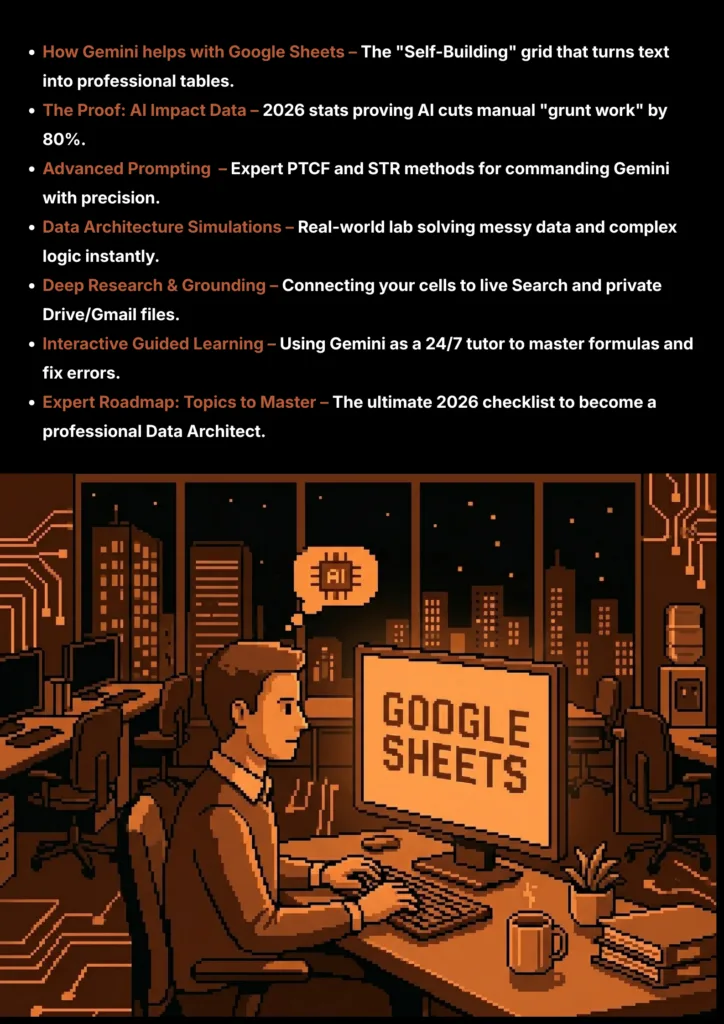
Learn how Gemini transforms Google Sheets from a manual grid into a self-building, automated powerhouse.
Let’s face it: nobody enjoys spending their Sunday night fixing broken formulas or manually cleaning thousands of rows of messy data. In 2026, you don’t have to. The era of the “Manual Spreadsheet” is over.
Whether you are a business owner tracking sales, a student managing a budget, or a consultant building complex reports, Google Sheets with AI is your new secret weapon. By using Gemini for Sheets, you can now build entire project trackers, automate data entry from your emails, and solve “impossible” math problems just by asking in plain English.
In this 2026 In-Depth Master Class, we aren’t just going to show you a few tips. We are going to teach you how to become a Data Architect. You’ll learn the exact prompting methods used by experts to turn hours of “grunt work” into seconds of AI-driven magic.
Ready to level up? Let’s dive into the future of productivity.
Note :
- “The techniques and prompt engineering principles you learn in this guide are universally applicable to any large language model (LLM), including ChatGPT and Perplexity AI. We use Google Gemini for all examples because its latest multimodal features and integration with Google Search provide a best-in-class learning experience.”
- “Remember: The quality of the AI’s answer depends entirely on the clarity of your prompt. Always be specific, detailed, and clear with the AI to avoid irrelevant or incorrect (hallucinated) responses.”
How Gemini Helps With Google Sheets
| Feature | The Manual Way | The Gemini Advantage | How this helps |
|---|---|---|---|
|
|
Manually typing headers, setting up columns, and adding border lines for every new project. |
Natural Language Generation
|
Instant Start
Skips "blank grid paralysis" and builds the professional skeleton for you instantly. |
|
|
Searching Google for VLOOKUP or INDEX/MATCH syntax and spending hours debugging #N/A errors. |
Formula Conversions
|
No Coding Needed
You describe the math in plain English; Gemini writes the code and explains how it works. |
|
|
Manually fixing typos, reformatting phone numbers, and splitting "First Last" names one by one. |
Enhanced Smart Fill
|
Massive Time Saver
Fixes 1,000+ rows of messy data in two clicks instead of an entire afternoon. |
|
|
Highlighting ranges and clicking through dozens of chart menus to find one that looks usable. |
Smart Charting
|
Professional Looks
You don't need to be a designer to create "presentation-ready" custom charts. |
|
|
Building complex Pivot Tables or using advanced "Filter" logic to find specific answers. |
Conversational Insights
|
Expert Answers
It is like having a Senior Data Analyst sitting right next to you at all times. |
|
|
Copying data from an email or a PDF into a sheet one individual cell at a time. |
Cross-App Grounding
|
End of Copy-Paste
Bridges the entire gap between your inbox and your spreadsheet workflow. |
How AI Boosts Your Productivity : Data From Recent Studies
Here are the five most critical data points from recent global studies that prove the impact of Gemini and AI on spreadsheet work:
| Research Metric | Evidence & Analysis | How this helps |
|---|---|---|
| 80% Manual Task Reduction Data Management Study (2025/26) |
The Grunt Work Revolution
|
What This Means
You move from "data entry" to "data analysis" almost instantly. The AI does the boring work so you can do the thinking.
Efficiency Edge: Reclaims hours spent on fixing typos and column layouts.
|
| 25% Faster Task Completion Harvard & MIT Research (2025) |
The "Finish Line" Factor
|
What This Means
This research proves that AI compresses workdays without losing quality. You beat deadlines by letting AI handle the heavy lifting.
Speed Edge: Turn a 40-hour work week into 30 hours of high-impact work.
|
| 30% Reduction in User Errors AI-Enhanced User Studies (2025) |
The Accuracy Advantage
|
What This Means
The "Broken Formula" headache is becoming a thing of the past. Your reports are more reliable because the AI acts as a second pair of eyes.
Quality Edge: Publish flawless reports that your boss can trust completely.
|
| 8hr Weekly Time Reclaim Marketing Analyst Case Study |
The Reporting Shortcut
|
What This Means
Reclaiming 8 hours a week allows you to focus on high-level business decisions that actually move the needle.
Strategy Edge: Turn "Reporting Day" into "Strategy Day" every week.
|
| 70% Autonomous Success Rate Gemini Tech Benchmark (2026) |
The "Expertise" Milestone
|
What This Means
Advanced analysis no longer requires a degree in data science. You just need to know how to ask the AI the right questions.
Knowledge Edge: Perform senior-level analysis with junior-level training.
|
Advanced Prompting Techniques by Google for 2026, with Examples Prompts For Google Sheets
Google Gemini is a Reasoning Engine. To get professional, high-yield results for data and business, use these six core strategies.
- The Technique: Define the Persona, Task, Context, and Format.
- The Logic: Gemini adapts its logic based on the "identity" you give it. If you ask it to act as a "Data Scientist," it uses complex statistics; if it acts as a "Business Owner," it focuses on margins.
Persona: Act as a [Expert Role: e.g., Senior Data Analyst, Accountant, Project Manager]. Task: [Your Goal: e.g., Create a 12-month budget, Audit this sales data for errors]. Context: Apply this specific background: [Data Context: e.g., Use only the values provided in cells A1:G50] [Business Context: e.g., We are a startup with a strict $5k monthly limit] Format: Provide the output as [Structure: e.g., A 5-column table, A ready-to-paste Google Sheets formula].
- The Technique: Forcing the AI to show its work in a step-by-step sequence.
- The Logic: Complex spreadsheet logic often fails due to small errors. This forces Gemini to "Self-Correct" by explaining the logic of Step 1 before attempting the math in Step 2.
Solve this [Calculation/Logic Problem] using Chain-of-Thought. Step 1: List the variables and cells involved in this problem. Step 2: State the logical rule we need to follow (e.g., If X is true, then do Y). Step 3: Write the final Google Sheets formula and explain how each part of the formula satisfies the logic in Step 2. Problem: [Insert your specific goal here, e.g., Calculating tiered sales commissions].
- The Technique: Limiting the AI to specific, official data sources.
- The Logic: Grounding forces the AI to ignore its general training and focus exclusively on the verified data you provide, preventing "AI hallucinations" in financial reports.
Research the current [Topic: e.g., Exchange rates, Stock prices, Competitor pricing]. Constraint: Only use information from [Official Domain: e.g., finance.google.com] or [Your Attached File: e.g., Q4_Report.pdf]. Recency Rule: Only use data from the last [Timeframe: e.g., 24 hours / 30 days]. Output: Provide a summary table ready to be pasted into Sheets.
- The Technique: Setting strict "Rules of Play" and negative constraints.
- The Logic: By forbidding conversational filler, you get high-yield results like clean formulas or lists that are ready to use immediately without manual editing.
Generate a [Task: e.g., List of 50 placeholder names and emails]. Constraint 1: Ensure all emails follow the format [name@company.com]. Constraint 2: No conversational filler or introductory text. Constraint 3 (Negative): Do not use common AI phrases like "Here is the list you requested." Format: Provide as a raw text list separated by commas for easy CSV import.
- The Technique: Creating a feedback loop with an "Active Recall" check.
- The Logic: Use this to master spreadsheet skills. Gemini explains the concept and then challenges you to ensure you’ve actually understood it.
Explain how [Feature: e.g., Pivot Tables, Conditional Formatting] works in Sheets. Instruction: Provide a high-level summary first. Feedback Loop: Ask me if I want a beginner walkthrough or an advanced technical deep-dive. Active Recall: Once I understand, give me a "Check-for-Understanding" challenge to solve in my own sheet.
- The Technique: Providing a structural blueprint before injecting the data.
- The Logic: You command the AI to build a specific layout you provide, ensuring the final result matches your exact professional standards.
Make a [Desired Output: e.g., Daily Sales Tracker, Employee Shift Schedule]. Layout Blueprint: [Structure: e.g., 6 columns with headers for Date, Name, Hours, Rate, Total, and Notes]. Style: [Vibe: e.g., Minimalist, High-Contrast]. Strict Rule: Adhere to the structure provided; no conversational filler. Use this information: [PASTE_RAW_DATA_OR_NOTES_HERE].
Real-World Google Sheets Challenges Solved Using Gemini
Prompt Lab
Section 4: Data Architecture Simulations: Solving Professional Spreadsheet Problems
In this simulation lab, we take common, high-friction spreadsheet tasks and solve them using three distinct AI strategies. Each strategy provides a different type of solution—from a single "Magic Formula" to a full structural blueprint.
The Problem:
You have 500 rows of messy data. Names are lowercase (john doe), phone numbers lack country codes (9876543210), and emails have hidden spaces.The Goal: A single formula to fix everything at once.
"Persona: Act as a Google Sheets Developer. Task: Write a single ARRAYFORMULA that cleans 500 rows of data. Context: Column A has names (needs Proper Case), Column B has 10-digit phone numbers (needs '+91 ' prefix), and Column C has emails (needs spaces removed). Format: Provide only the final formula that I can paste into cell D2 to output the cleaned data for all three columns."
"I need to clean a large dataset using Chain-of-Thought logic. Step 1: Create a PROPER function for names in Col A. Step 2: Create a logic to join '+91 ' with the numbers in Col B. Step 3: Apply TRIM to Col C. Step 4: Combine these into one QUERY or ARRAYFORMULA so the entire sheet updates automatically. Provide the final formula and a brief explanation of how the parts connect."
"Make a Clean Data Blueprint for my lead list. Layout Blueprint: I want a 3-column output. Column 1 must be 'Cleaned Names', Column 2 'International Phone', Column 3 'Trimmed Email'. Style: Professional. Strict Rule: Give me the Google Sheets formula required to generate this layout based on raw data in A2:C500."
The Problem:
You have a list of employees and their hours. You need to identify instantly who is hitting overtime (over 40 hours) and calculate their extra pay automatically.
"Persona: Act as a Payroll Specialist. Task: Create a formula to calculate overtime pay. Context: Column B shows total hours worked. If hours are > 40, calculate (Hours - 40) * [Your Hourly Rate] * 1.5. If not, the result should be 0. Format: Provide the formula ready to be dragged down Column C."
"Using Chain-of-Thought, build a shift-tracking formula. Step 1: Check if the 'Hours' cell is empty. Step 2: If not empty, check if hours exceed 40. Step 3: Calculate 'Base Pay' for 40 hours and 'Overtime Pay' for anything extra. Step 4: Output the total sum. Provide the final IF statement formula."
"Make an Executive Payroll Blueprint. Layout Blueprint: A summary table showing 'Employee Name', 'Regular Hours', 'OT Hours', and 'Total Payout'. Use this information: [Paste your raw list of names and hours]. Strict Rule: Provide the formula that generates this summary table automatically."
The Problem:
You have a list of 200 products. You have columns for "Stock Level" and "Minimum Required." You need a system that automatically flags which products need to be reordered, calculates the quantity to buy, and formats it as a "Shopping List."The Goal: A dynamic reorder system that updates as sales happen.
"Persona: Act as a Supply Chain Manager. Task: Write a formula to generate a reorder list. Context: Column A is 'Product Name', Column B is 'Current Stock', and Column C is 'Min Required'. Format: Provide a single QUERY or FILTER formula that only shows the names of products where Column B is less than Column C, and calculates the difference (C-B) in a new column."
"Using Chain-of-Thought, build an automated reorder alert. Step 1: Check if the product name in Column A is present. Step 2: Compare 'Current Stock' (B) against 'Threshold' (C). Step 3: If B < C, output the text 'REORDER [Quantity]'. If B >= C, output 'IN STOCK'. Step 4: Wrap this in an ARRAYFORMULA so it applies to the entire inventory list automatically. Provide the final formula."
"Make a Procurement Blueprint for my warehouse. Layout Blueprint: A 2-column list. Column 1: 'Items to Buy', Column 2: 'Quantity Needed'. Use this information: [Paste your inventory list with current and min stock levels]. Style: Clean and functional. Strict Rule: Provide the Google Sheets formula that filters the list and performs the math automatically without any manual sorting."
Data Architecture Lab • Optimized for Professional Output
Using Gemini For Deep Research & Grounding In Google Sheets
What is Deep Research?
Deep research in 2026 is about moving beyond "General Knowledge." It involves using Gemini as a Reasoning Engine to link your spreadsheet data with real-time updates and private documentation. It turns the AI into a research partner that helps you understand the "Why" behind your business data, moving from simple data entry to strategic decision-making.
How It Helps You
- Cross-App Data Integration: Sheets can now "reach out" into your @Gmail or @Drive. You can extract project deadlines or invoice amounts from emails directly into a cell without manual typing.
- Live Market Synthesis: Use @Search grounding to track competitor pricing, current exchange rates, or industry trends that are high-yield areas for business growth.
- Pattern Recognition: Deep research allows you to break down complex data patterns, helping you master the logic behind market shifts unique to your industry.
- Verified Knowledge Building: Instead of guessing, Gemini researches specific official sources—like government portals or financial filings—to build a verified database for your projects.
Grounding and Context
What it is: "Grounding" means tethering Gemini to official sources so it doesn't give you unverified or outdated information (hallucinations) that could ruin your reports.
Why it matters: Business and financial data change constantly. Grounding ensures you are pulling from the Press Information Bureau (PIB), Official Market Exchanges, or your own Verified Internal Docs.
How you do it:
1. Upload your project PDF or a "Standard Operating Procedure" (SOP) to Gemini.
2. Use the command: "Filter all your future research through the specific constraints and data points found in this uploaded document."
Official Strategy: STR Prompting
The System, Task, Range MethodThis is the official Google-recommended method to ensure Gemini acts like a specialized analyst rather than a general chatbot.
System: Act as a [Expert Role: e.g., Financial Auditor, Market Researcher]. Task: Your task is to research the latest [Topic: e.g., Industry Pricing, Competitor Updates] in the last [Timeframe: e.g., 12 months, 24 hours]. Range: Use only official portals: [@Search / @Drive / @Gmail] and verified [Source Name: e.g., pib.gov.in]. Output: Write a 200-word summary and create a 3-column table based on this research.
The India Should Know Technique
The Reverse Engineering MethodThis technique allows you to reverse-engineer your reports by describing the exact strategic depth and format you need before the AI processes the raw data.
I want to create a high-density comparison table for [Category: e.g., Vendor Pricing, Product ROI]. Format: A 4-column table (Name, Current Rate, Proposed Rate, Unique Benefit). Tone: Professional, precise, and objective. Intent: To identify the most cost-effective solution for [Project Name]. Constraints: No fluff. Every point must be under 15 words. Use the official [Source/File] I provided. Once generated, I will ask you to create a logic-based reasoning question to test this data.
Tips for Better Deep Research
- The "Logic Loop": After an answer, ask: "What is the most common mistake people make when interpreting this specific data?" to identify potential business traps.
- The @ Command: Always use the @ symbol in the side panel to trigger the Google Search or Drive extension to verify stats like current exchange rates or tax percentages.
- Chain of Reasoning: For complex financial shortcuts (like compounding interest), tell Gemini: "Explain this derivation step-by-step so I can apply it mentally during a meeting."
Guided Learning For Google Sheets, Turn Gemini into Your Personal Coach
What is Guided Learning with AI?
Guided learning is the process of using Gemini as a specialized Sheets instructor rather than just a tool. Instead of asking for a finished formula, you use the AI to simulate a classroom environment. It identifies gaps in your logic, explains the "why" behind specific functions (like ARRAYFORMULA or QUERY), and helps you build the mental shortcuts needed to solve complex data problems on the fly.
How It Helps You for Google Sheets
- Master Logic Patterns: Instead of memorizing formulas, you learn to "speak" data logic. Gemini helps you break down complex nested IF statements and lookup functions so you understand how they think.
- Troubleshoot with Confidence: When you hit a #REF! or #VALUE! error, Gemini doesn't just fix it—it acts as a coach to help you identify exactly where the data type or cell reference went wrong.
- Reverse-Engineer Expert Work: If you see a complex template or a "pro" sheet, you can feed the formulas to Gemini and have it translate them into plain English steps.
- Learn New 2026 Features: As Google rolls out new AI-native features, you can use Gemini to stay ahead of the curve by asking for walkthroughs of the latest updates.
How to Do It in Short
1. Define the Role: Tell Gemini it is a Senior Data Architect and Google Sheets Instructor.
2. Set the Boundary: Explicitly tell it NOT to give you the final formula immediately. Demand logic-based hints first.
3. Interactive Dialogue: Use a back-and-forth chat to build a formula one piece at a time.
4. Feedback Loop: Paste your attempt at a formula and let the AI critique your logic before it shows you the "correct" way.
Official Strategy: Conversational Scaffolding
Google Suggested StyleGoogle’s recommended approach involves starting with basic principles and letting the AI guide you toward complex solutions through a tiered dialogue.
“I am learning Google Sheets, specifically focusing on [Subject: e.g., Pivot Tables or VLOOKUP]. I want you to act as a Supportive Instructor. Start by asking me what I already know about [Specific Topic], and then help me build my understanding by asking follow-up questions that connect basic rules to advanced logic. Don't give me the full explanation at once; let's take it step-by-step.”
Official Strategy: The Socratic Method
Google Suggested StyleThe Socratic Method is the gold standard for deep skill acquisition. Instead of the AI explaining a formula to you, it asks you disciplined questions to ensure you remember the logic forever.
“I want to learn the logic behind [Topic: e.g., Indirect Cell Referencing]. Act as a Socratic Tutor. Do not give me the explanation. Instead, ask me a leading question that helps me realize the core pattern behind this. Once I answer, ask another question to push my thinking into more advanced shortcuts until I have fully grasped the concept.”
The India Should Know Method
ISK Reverse Engineering PromptThis signature method puts heavy constraints on the tutoring session. You define the exact "shape" of the lesson before you ever give the AI your raw data.
Intent: Act as an Expert Data Architect specializing in [Subject: e.g., Automated Dashboards]. Context: I need to master [Chapter/Topic] for my professional workflow. Format Constraints: 1. Conduct a 'Data Logic & Formula' quiz session. 2. Ask exactly one question at a time. 3. Wait for my response before moving to the next. 4. If I am wrong, provide a logic-based hint first. 5. Use a professional and encouraging tone. 6. After 5 questions, provide a 'Mastery Report' in a table format (Column 1: Concept, Column 2: Mastery Level 1-10, Column 3: Skill Gap to Fix). Raw Data: [Paste the complex formula or sheet notes you want to learn here] Instruction: Once you understand these constraints and the data provided, acknowledge this by asking the first question.
Tips for Guided Learning
- Be Honest with the AI: If a hint doesn't click, say: "I don't see the logic yet, explain it using a different real-world business example."
- Use Gemini Live for Brainstorming: If you are on mobile, use Gemini Live to talk through your logic. Hearing yourself explain the problem often reveals the solution.
- Feed It Real Errors: Paste your most frustrating #ERROR! messages into the "Raw Data" section of the ISK prompt to learn from your specific mistakes.
- Review the Mastery Report: Use the report at the end of the session to ask Gemini for a "3-day drill plan" to lock in the skills where you scored lowest.
Important Topics to Learn for Google Sheets
- XLOOKUP & Query Functions: The "holy grail" of Sheets. Learn how to pull specific data from massive datasets without manual searching.
- Nested IF & Switch Logic: How to create complex "decision trees" where the sheet handles multiple conditions at once.
- Data Validation & Dropdowns: Creating "bulletproof" sheets that prevent other users from entering the wrong data types.
- Conditional Formatting: The art of making your data "talk" visually by auto-coloring cells based on their value (e.g., highlighting declining sales in red).
- The =AI() Function: Using Gemini directly inside a cell to summarize text, categorize leads, or translate content in bulk across 1,000+ rows.
- RegEx (Regular Expressions): A specialized language for finding and fixing complex patterns like specific serial numbers, dates, or email formats.
- Named Ranges: Giving specific sections of your data a "nickname" so your formulas are easier to read and never break when you move cells.
- Filter Views: How to sort and filter data for your own eyes without changing what your teammates see on the same shared sheet.
- Cross-App Grounding (STR Strategy): Mastering the ability to link your spreadsheet to your Google Drive and Gmail to automate data entry.
- Macros & Apps Script: Recording repetitive tasks so you can play them back with one click, or writing small scripts to send auto-emails when a cell value changes.
- API & Add-on Integration: Connecting Sheets to external tools like Salesforce, Slack, or Mailchimp to sync your business data in real-time.
- Form Integration: Automatically pulling survey responses from Google Forms and using AI to perform instant sentiment analysis on the feedback.
- Dynamic Dashboards: Moving beyond static charts to create interactive boards with slicers and checkboxes that update instantly.
- Pivot Tables & Charts: Learning how to "pivot" a massive list of raw data into a clean, summarized report in seconds.
- Sparklines: Inserting tiny, high-impact trend graphs directly inside a single cell to show progress at a glance.
Official Strategy: PTCF Prompting
The Persona, Task, Context, Format MethodYou don't need to take a 6-month course to learn these. You can use the PTCF method to have Gemini teach you any of these topics today.
Persona: Act as a Google Sheets Certification Expert. Task: Teach me the core logic and best practices for [Insert Topic from list above: e.g., XLOOKUP]. Context: I am a business owner who needs to use this to [Your Goal: e.g., track inventory across three different tabs]. Format: Provide a 3-step walkthrough and a "practice problem" for me to solve in my own sheet.
Welcome to the Era of the "Self-Building" Spreadsheet
Congratulations—you have officially completed the 2026 Google Sheets with AI Master Class.
Throughout this guide, we’ve seen that the “old way” of wrestling with spreadsheets is a choice, not a necessity. By embracing Gemini for Sheets, you aren’t just learning a new tool; you are upgrading your entire professional mindset. You’ve moved from being someone who manually types into cells to someone who designs automated systems that think, research, and solve problems for you.
We started by looking at the massive Capability Table and the Global Data proving that AI is no longer optional. We then mastered STR Prompting and PTCF Strategies, turning complex headaches into one-line formulas. You’ve seen through our Live Simulations how to clean 500 rows in seconds and how to use Deep Research to tether your work to the real world.
The next step is yours. Don’t let this knowledge sit idle. Open a Google Sheet today, trigger the Gemini side panel, and try one of the “Cookie Cutter” prompts we built. Whether you are fixing a messy lead list or optimizing a staff schedule, the goal is to let the AI handle the “grunt work” so you can focus on the big-picture strategy.
The future of work belongs to the Architects. Welcome to the front of the line.
Written By
Prateek Singh.
Last Updated – March, 2026
About The Author
Prateek is a self-taught practitioner who believes the only real way to learn is by doing. He created IndiaShouldKnow.com from scratch, using AI as his primary learning partner to navigate everything from web development and UI/UX design to color theory and graphic engineering.
He works within the “engine room” of AI daily, using these tools to manage professional workflows including data visualization, digital marketing systems, and SEO architecture. Having personally tested and refined dozens of AI models across hundreds of real-world scenarios, Prateek focuses on the “how” behind the technology. He shares his self-taught workflows and prompting pillars to help others move past basic chat interactions and start using AI as a high-precision tool for their own goals.
FAQs About AI Use.
Can I trust every answer an AI tool gives me for my studies?
A: No, you should not trust every answer completely. Think of an AI as a super-smart assistant that has read most of the internet—but not every book in the library is accurate.
AI can sometimes make mistakes, misunderstand your question, or use outdated information.
It can even “hallucinate,” which means it confidently makes up an answer that sounds real but is completely false.
Rule of Thumb: Use AI answers as a great starting point, but never as the final, absolute truth. Always double-check important facts.
How can I verify the information I get from an AI for my academic work?
A: Verifying information is a crucial skill. It’s like being a detective for facts. Here are four simple steps:
Check Your Course Material: Is the AI’s answer consistent with what your textbook, lecture notes, or professor says? This is your most reliable source.
Look for Reputable Sources: Ask the AI for its sources or search for the information online. Look for links from universities (.edu), government sites (.gov), respected news organizations, or published academic journals.
Cross-Reference: Ask a different AI the same question, or type your question into a standard search engine like Google. If multiple reliable sources give the same answer, it’s more likely to be correct.
Use Common Sense: If an answer seems too perfect, too strange, or too good to be true, be extra skeptical and investigate it further.
What is the difference between using AI for research and using it to plagiarize?
A: This is a very important difference. It’s all about who is doing the thinking.
Using AI for Research (Good ✅):
Brainstorming topics for a paper.
Asking for a simple explanation of a complex theory.
Finding keywords to use in your library search.
Getting feedback on your grammar and sentence structure.
You are using AI as a tool to help you think and write better.
Using AI to Plagiarize (Bad ❌):
Copying and pasting an AI-generated answer directly into your assignment.
Asking the AI to write an entire essay or paragraph for you.
Slightly rephrasing an AI’s answer and submitting it as your own original thought.
You are letting the AI do the thinking and work for you.
How can I use AI ethically to support my learning without violating my school's academic honesty policy?
A: Using AI ethically means using it to learn, not to cheat. Here’s how:
Know the Rules: First and foremost, read your school’s or professor’s policy on using AI tools. This is the most important step.
Be the Author: The final work you submit must be yours. Your ideas, your structure, and your arguments. Use AI as a guide, not the writer.
Do the Heavy Lifting: Use AI to understand a topic, but then close the chat and write your summary or solve the problem yourself to make sure you have actually learned it.
Be Transparent: If you used an AI in a significant way (like for brainstorming), ask your professor if you should mention it. Honesty is always the best policy.
Can an AI's answer be biased? How can I detect this in its responses?
A: Yes, an AI’s answer can definitely be biased. Since AI learns from the vast amount of text on the internet written by humans, it can pick up and repeat human biases.
Here’s how to spot potential bias:
Look for Opinions: Does the answer present a strong opinion as a fact?
Check for One-Sidedness: On a topic with multiple viewpoints (like politics or economics), does the AI only show one side of the argument?
Watch for Stereotypes: Does the answer use generalizations about groups of people based on their race, gender, nationality, or other characteristics?
To avoid being misled by bias, always try to get information from multiple, varied sources.
Is it safe to upload my personal notes, research papers, or assignments to an AI tool?
A: It is best to be very careful. You should not consider your conversations with most public AI tools to be private.
Many AI companies use your conversations to train their systems, which means employees or contractors might read them.
There is always a risk of data breaches or leaks.
A Simple Safety Rule: Do not upload or paste any sensitive information that you would not want a stranger to see. This includes:
Personal identification details.
Confidential research or unpublished papers.
Your school assignments before you submit them.
Any financial or private data.